
 .
. 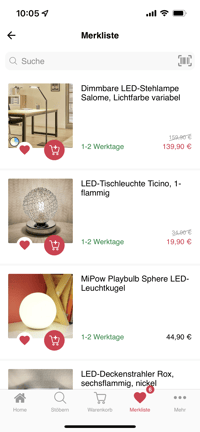
All shopping apps include a wishlist feature. Products can be added to or removed from a wishlist and can be moved from the wishlist directly to the cart. The wishlist can also be used by users who are not logged in yet, which is an advantage over classic online shops.
How can I add products to my wishlist?
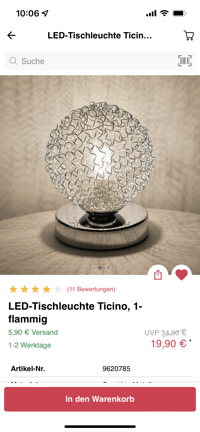
Products can be added to a wishlist using the "heart icon" shown in the product lists and on the product detail page.
How can I remove products from my wishlist?
Products can be removed from the wishlist by deselecting the "heart icon". A message lets you undo this action right away.
How can I add products to the cart?
Products can be added to the cart directly from the wishlist using the "cart icon", as long as they don't have variants. To select variants, customers are redirected to the product detail page. Products can also be opened directly from the wishlist and added to the cart from the product detail page.
Can wishlists be synchronized with my shop system?
- Magento 1
- Shopware 5
- Shopware 6
Can I use multiple wishlists in one app?
Yes, this is possible with the following checkouts:
- Shopgate Native Checkout
- Shopware 5 web checkout (when the Advanced Cart plugin is used at the same time)
Our support team sets up this feature for you. To contact support directly, click here. The wishlist is synchronized automatically as soon as a customer logs in to their customer account in the app, restarts the app or adds a product to the wishlist.