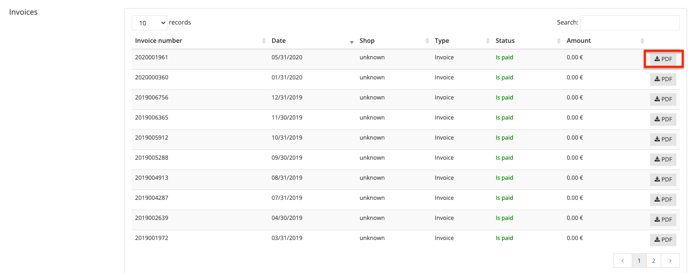
You can easily download the invoice for provision fees or other charges as a PDF.
To do this, log in to the admin, click your name in the top right and select My Account. In the Contract & Invoices section, click Open. There you'll see a list of all invoices, the invoice amount and the current status.
Click the "PDF" button on the right and the file is downloaded automatically.